Uma Fighters Controls Guide
Every official input for Uma Fighters [ALPHA] on PC, mobile, and console.
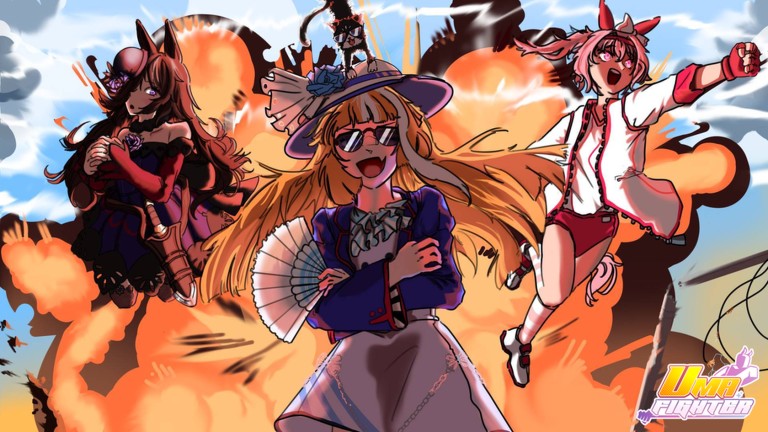
Uma Fighters [ALPHA] is a cartoonish Uma Musume-inspired battlegrounds game on Roblox. The developers (Umaniacs) support most devices — PC, mobile, and console — with a control scheme inspired by modern battlegrounds titles like Jujutsu Shenanigans (JJS). This page lists the official PC inputs published on the Roblox game page, plus practical notes for mobile and controller players.
If you have never played a battlegrounds before, pair this guide with Getting Started and the Combos Guide so you understand when to press each button, not just which button to press.
Official PC Controls (ALPHA Build)
These inputs come from the live Uma Fighters Roblox description. Always re-check in-game if a patch changes bindings.
Movement and Camera
| Action | Input | Notes |
|---|---|---|
| Move | W / A / S / D | Standard Roblox movement |
| Camera | Mouse | Aim and track opponents |
| Run | W + W (double tap) | Hold to sprint; auto-vaults ledges |
| Jump | Space | Tap to jump |
| Super Jump | Space (fully charged) | Hold jump for higher arc |
Combat Core
| Action | Input | Notes |
|---|---|---|
| M1 Combo | Left Click | 4-hit melee chain — foundation of all damage |
| Skill 1 | 1 | First ability slot |
| Skill 2 | 2 | Second ability slot |
| Skill 3 | 3 | Third ability slot |
| Skill 4 | 4 | Fourth ability slot |
| Block | F | Hold to defend; watch for guard breaks |
| Special | R | Character special — Director also swaps moveset |
| Dash / Evasive | Q | Ground dash; evasive while ragdolled; dropkick after super jump |
| Awaken / Ultimate | G | Transformation when meter is full |
| Emote Wheel | B | Express yourself — not for combat |
Advanced Movement
| Action | Input | Notes |
|---|---|---|
| Air Front Dash | Q + Space + W (in air) | Aggressive aerial approach |
| Air Back Dash | Q + Space + S (in air) | Defensive aerial retreat |
| Character Select | Right Click | Quick select menu for swapping fighters |
How Skills Map to Characters
Every fighter uses the same input layout — M1, skills 1–4, F block, R Special, Q dash, G Awaken. What changes is what each skill does. All five playable kits share these bindings; only Macchan is a title collectible with no combat inputs.
- Aurora — Straightforward rushdown and AoE; Skill 3 counters blocked strings. Best starter for learning confirms. See the Aurora Guide.
- Haru Urara — Fan-favorite fundamentals with readable M1 pressure and standard Awaken timing. Strong second main after Aurora. See the Haru Urara Guide.
- Rice Shower — Combo specialist with high route extension and corner carry; skills reward lab time before ranked. See the Rice Shower Guide.
- Tamano Cross — Flexible A-tier bruiser with balanced spacing tools; natural step after Aurora without Director economy. See the Tamano Cross Guide.
- The Director — Money costs on paid skills, summons for zoning, and dual moveset swap on R. Hardest execution ceiling in ALPHA. See the Director Guide.
- Macchan — Not a fighter. No M1, skills, block, dash, or Awaken — collect the title at eight map locations instead. See the Macchan Guide.
Right-click the quick select menu when testing fighters in training. For matchup-specific skill usage, pair this page with the Matchups Guide and Characters overview.
Mobile Controls
Mobile uses on-screen buttons mapped to the same actions:
- Virtual joystick (left) — movement
- Swipe (right) — camera
- Attack — M1 combo
- Skill buttons — abilities 1–4
- Block / Dash / Awaken — dedicated buttons mirroring F, Q, G
- Emote — B equivalent
Mobile is fully supported, but M1 timing and air dash inputs are harder than on PC. Use landscape mode, lower camera sensitivity until comfortable, and practice one combo in training before jumping into PvP.
Console Controls
Console layouts vary by game settings, but battlegrounds typically map:
| Action | Xbox (typical) | PlayStation (typical) |
|---|---|---|
| Attack (M1) | RT | R2 |
| Block | LT | L2 |
| Skills | Face buttons / bumpers | Face buttons / bumpers |
| Dash | LB / RB | L1 / R1 |
| Awaken | Y | Triangle |
| Jump | A | Cross |
Check Uma Fighters in-game settings for the exact console binding once you launch on Xbox or PlayStation.
Input Priority Tips
- Confirm with M1 before skills — Random skill spam gets punished hard in Uma Fighters.
- Q is not a panic button — Save dash for evasive on ragdoll or to dropkick after super jump.
- F block has commitment — Hold block when you read a rush; release to counter.
- G only when it closes fights — Read the Ultimate Mode Guide for meter strategy.
- W+W vault chase — After knockback, double-tap W to stay on top of fleeing opponents.
Training Checklist
Run this 10-minute drill before ranked sessions:
- M1 full chain × 10 — no dropped hits
- Each skill (1–4) once after M1 confirm
- Block → punish with skill 3 or R
- Super jump → Q dropkick
- Air dash forward and back once each
Troubleshooting
- Inputs feel delayed — Close background apps on mobile; check Roblox FPS on PC.
- Skills do nothing — Cooldown active or Director lacks money for paid skills.
- Cannot Awaken — Meter not full; build it with M1 hits and confirmed skills.
- Wrong character — Right-click quick select or re-enter from menu.
Report control bugs in the official Discord with platform and clip.
Related Pages
- Getting Started — first matches and mindset
- Combos Guide — cancel timing and routes
- Characters — kit overview
- Updates — patch notes when controls change
Frequently Asked Questions
Quick answers to the most common questions.
What are the basic controls in Uma Fighters?
PC: WASD move, M1 attack, 1–4 skills, F block, R Special, Q dash, G Awaken, B emotes, W+W run, Space jump/super jump, and Q+Space+W/S for air dashes.
What does R do in Uma Fighters?
R is Special for every character. On The Director it also swaps between two movesets. Skills 1–4 are on number keys, not R.
How do I air dash in Uma Fighters?
While airborne, hold Space and press Q with W for a front air dash or S for a back air dash.
Is Uma Fighters playable on mobile?
Yes. The ALPHA build supports PC, mobile, and console. Mobile uses touch buttons mapped to the same M1, skills, block, dash, and Awaken actions.
How do I swap characters quickly?
Right-click to open the quick character select menu without leaving the server.